For parents of kids 2–8
When the screen turns off, know exactly what to say and what happens next.
AfterScreen takes your child’s age, their mood, the time you have and where you are — and hands you one thing to say, one activity to try, and a backup if they say no. In about ten seconds, on your phone.
- Pay once, lifetime access
- No subscription
- 30-day money-back guarantee
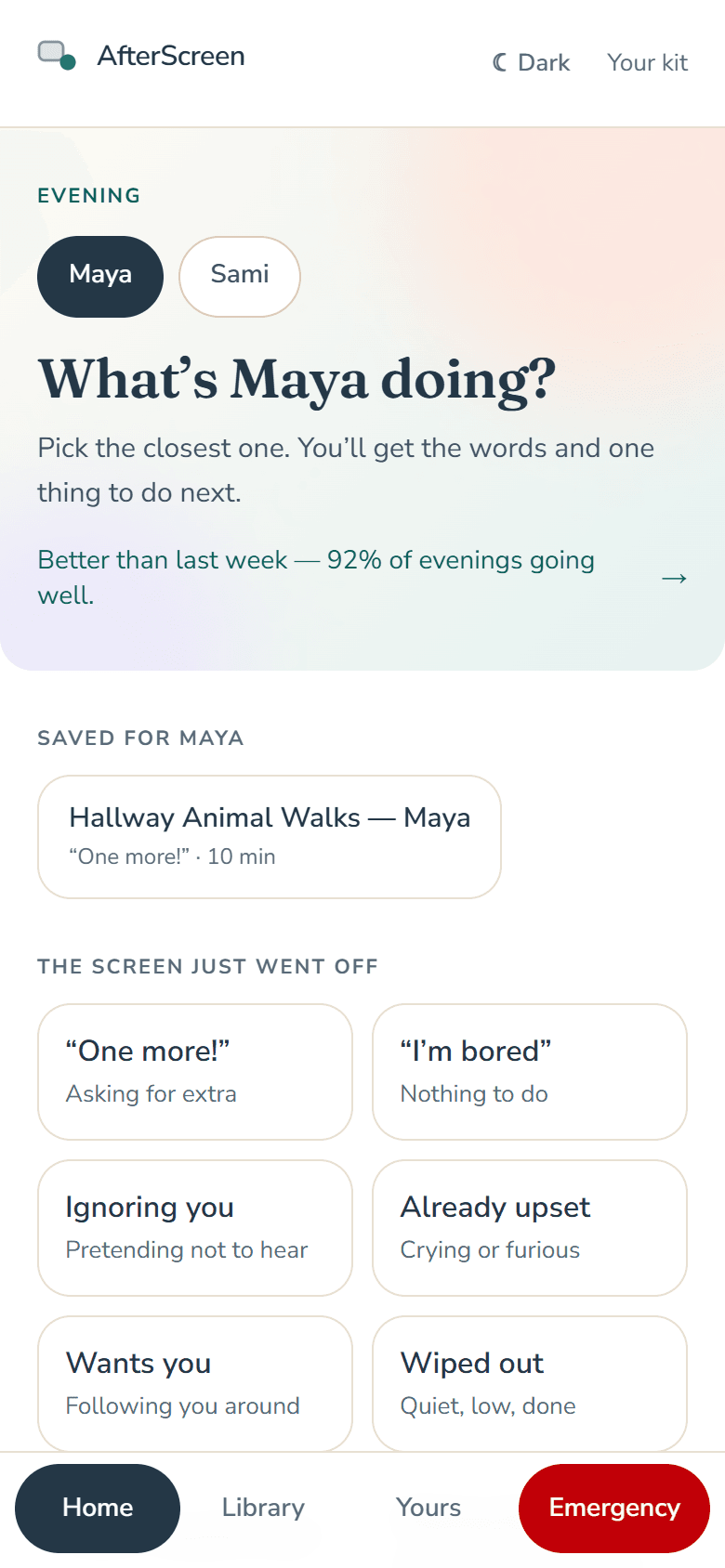
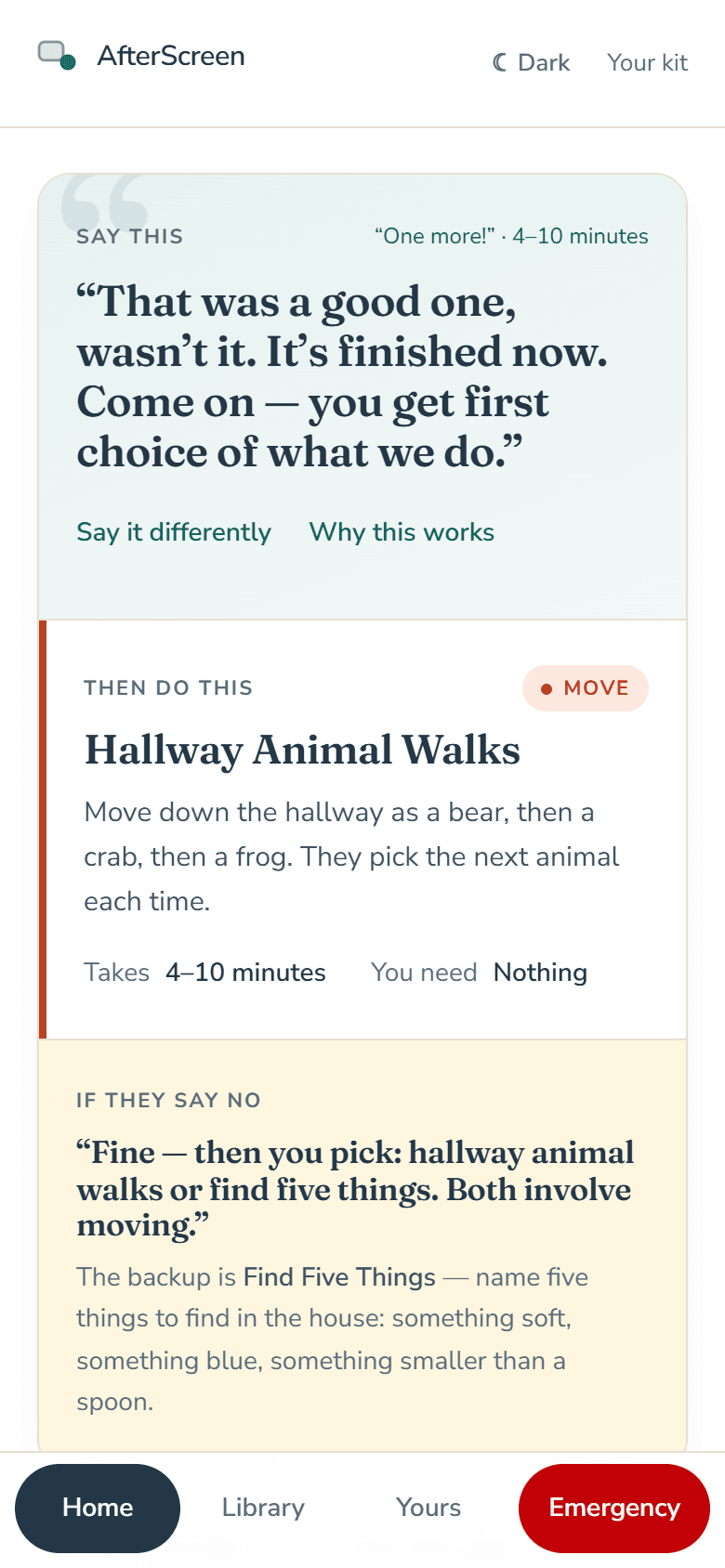
The moment
You know this moment. Every parent does.
“One more!”
The screen ends and the negotiation starts in the same second — before you have had a chance to say anything.
“I’m bored.”
You are making dinner and suddenly need to become an entertainment director.
Nothing works.
You suggest five activities. They reject all five. Somewhere around the fourth, you start thinking about giving the tablet back.
The meltdown has already started.
And every extra sentence you say somehow hands them one more thing to argue with.
You don’t need fifty activity ideas. You need the next step, already decided — and the words to go with it.
How it works
Ten seconds. Three answers. Then you go back to dinner.
Tap what’s happening
“One more!”, “I’m bored”, already upset, won’t hand it over — and how much time and energy you have.
Get the plan
One line to say, written for the age and the reaction. One activity that fits the time and the room. One backup if they say no.
Tell it how it went
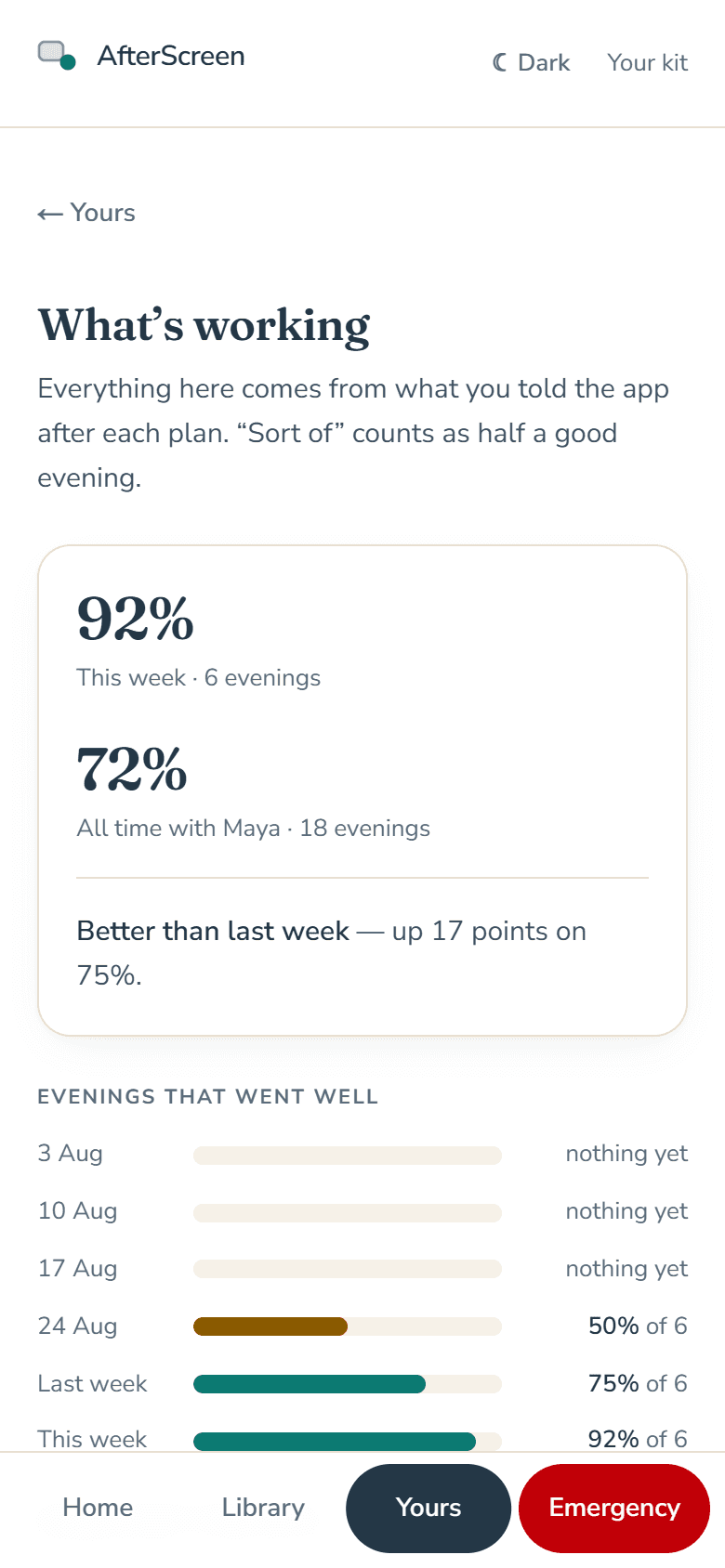
A single tap — did it work? — and the app learns your child. The plans get better; the evenings get shorter.
Underneath
It is not a list of ideas. It is the decision, made for you.
You tell it
- Their age
- How they are right now
- How much time you have
- Inside or outside
- How free you are
It gives you
- One thing to sayWritten for the age and the reaction.
- One activity to tryThat fits the time, the place and you.
- One backup if they say noAlready written, before you need it.
Try it
Try it with your child in mind.
Pick what’s happening and see the plan it would hand you. No sign-up; nothing is saved unless you ask for it by email.
What’s happening right now?
Four taps, then your plan.
What’s inside
Built for the evenings, not just for tonight.
Real screens from the app. Nothing here is a mockup.
Instant Screen-Off Plan
Tap the moment — 15 of them, from “one more!” to a sibling fight, bedtime, leaving the park, bath time and dinner — then the time you have and how involved you can be. It hands you the line, the activity and the fallback.
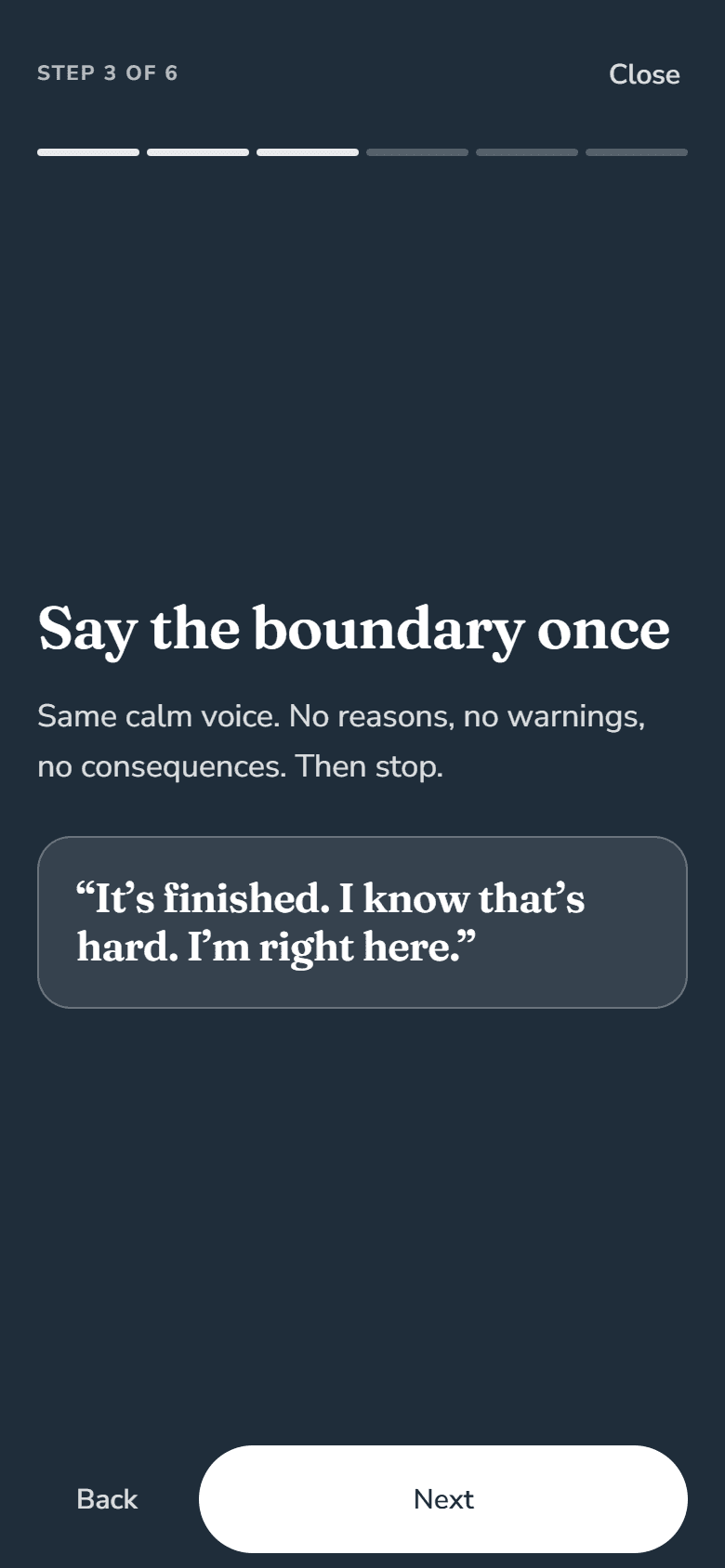
Emergency mode
For when the transition is already going badly. Six steps, one screen at a time, with the exact line when words are needed — and fewer things to do, not more.
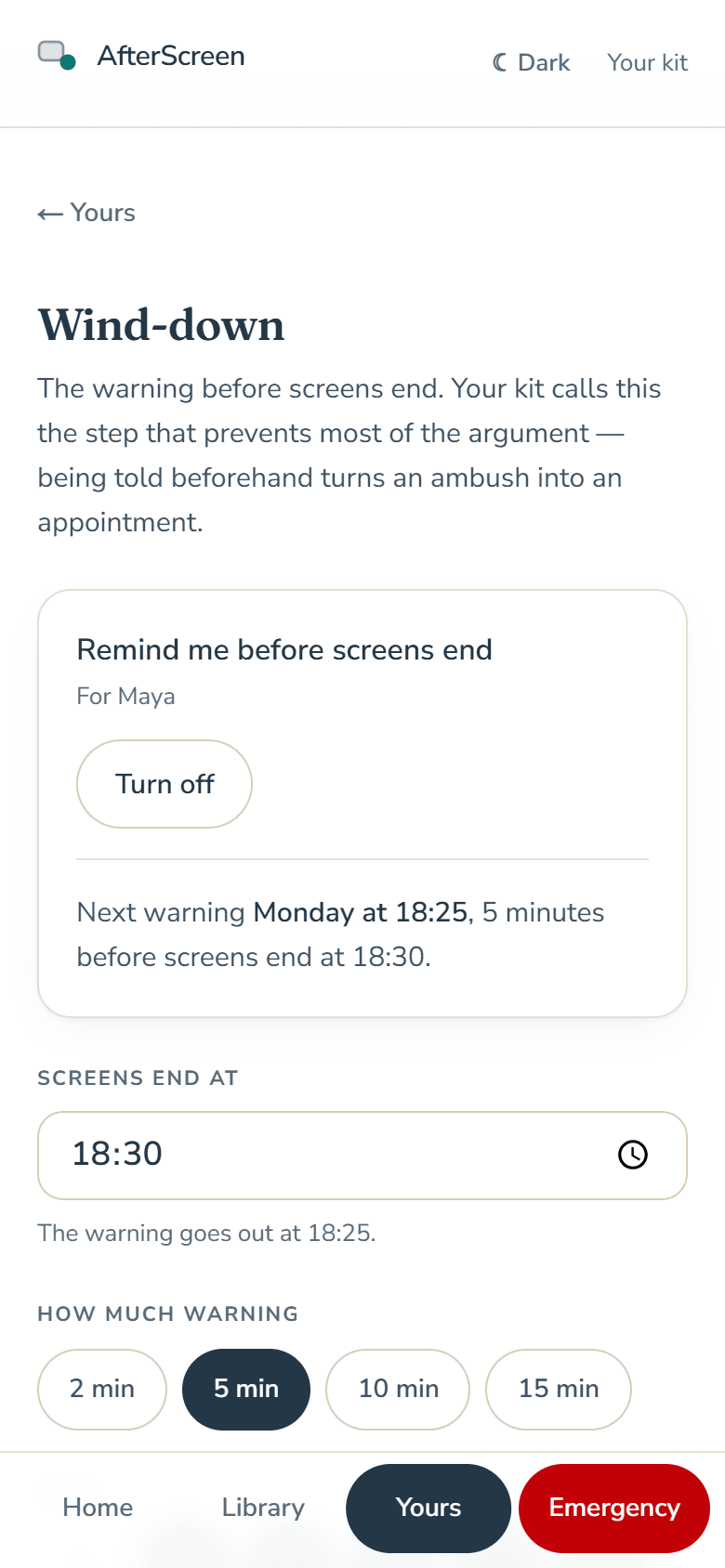
The five-minute warning, on your phone
Set when screens end. Your phone shows the warning line five minutes before, written for your child’s age, readable off the lock screen.
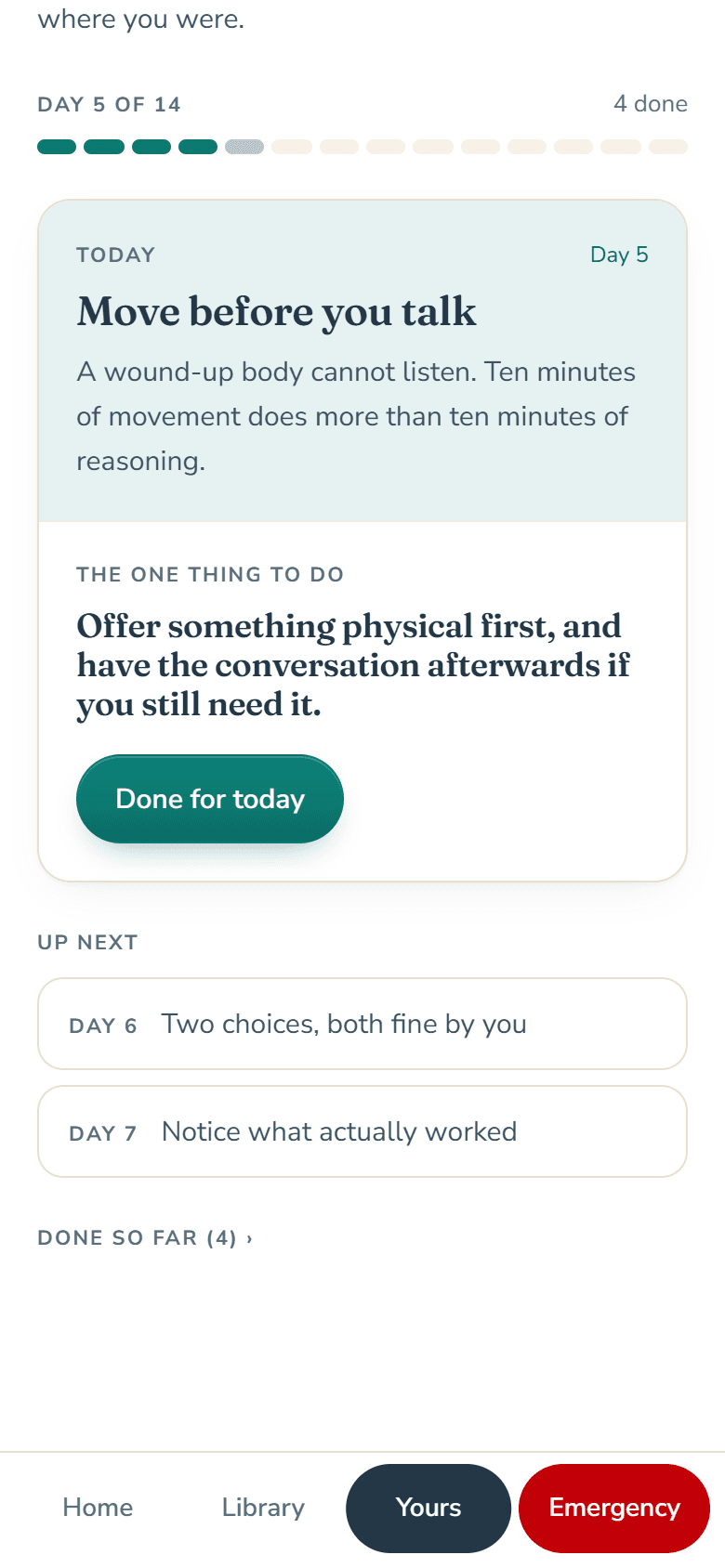
The 14-Day Reset
One small change a day for two weeks, so the calm version of the evening becomes the normal one. No streak to break.
What’s working
Every “did it work?” teaches it your child. It shows which activities land and whether evenings are getting easier — and says nothing until it is sure.
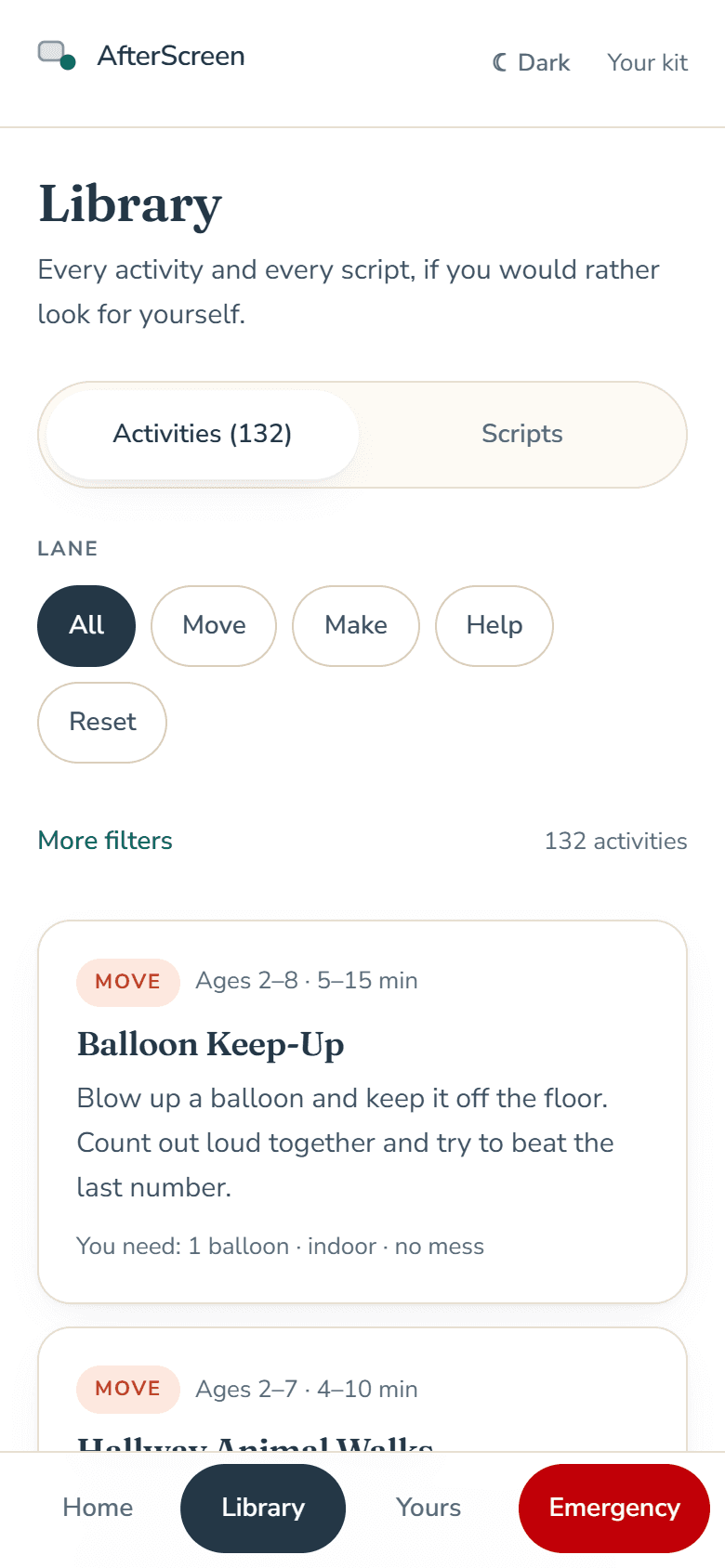
Every activity, filtered by your evening
Lane, age, time, involvement, indoors or out, prep and mess. For the nights you want to choose yourself.
315
Hand-written scripts
One short line that fits the age and the reaction. Not a lecture — a sentence.
193
Activities that fit
Most need nothing, or what is already in the house. Every plan says what you need before you start.
+2
One purchase covers the house
Add a co-parent, a grandparent, whoever does the evenings — up to 2 other adults get their own sign-in to the same children and plans.
2–8
It grows with your child
Enter a birth month once. The words move up an age band on their own. A printable fridge card per child, and your week in one Sunday email.
From parents
What it is like after a week.
“The biggest difference is that I don't have to think of something on the spot anymore. I open AfterScreen, answer a few questions, and I already know what to say and what to do next.”
Early-access customerName withheld for privacy“I expected another list of screen-free activities, but this is completely different. It actually helps me handle the transition when the screen turns off.”
Early-access customerName withheld for privacy“The 'if they say no' part is probably my favorite feature. My child doesn't always accept the first idea, so having a backup immediately makes the whole thing feel much easier.”
Early-access customerName withheld for privacy
Pricing
One price. No subscription.
Start with the kit if you want to run the routine yourself. Get the app when you want the choosing done for you.
Free
A plan for tonight
$0
Ten seconds. No card.
- Try a plan for tonight — no sign-up
- That plan emailed to you, ready for half past six
- 5 scripts for the other hard moments
- The printable 4-page routine kit: 8 activities and the routine
One moment, decided for you, so you can see what it does. Yours to keep whether or not you ever get the app.
AfterScreen
The app
$49.99once
Pay once. Lifetime access. No subscription.
- Instant plans for 15 situations
- 315 hand-written lines, by age and mood
- 193 activities, filtered by your evening
- Emergency mode, one step at a time
- The five-minute warning on your phone
- The 14-Day Reset
- Sign-in for up to 2 other adults
- A fridge card per child · your week every Sunday
- 30-day money-back guarantee
- No explanation needed
- Secure checkout by Stripe
AfterScreen is operated by ELAMRI LLC — the name you’ll see at checkout.
Questions, answered.
Who is it for?
Do I need to download an app?
Is this a subscription?
Is this about cutting screen time?
What is the difference between the free plan and the app?
What if it doesn’t help?
Tonight, when the screen goes off, have the next step ready.
Ten seconds on your phone. One line, one activity, one backup. Then you go back to dinner.